How Password Managers Organize and Protect Login Credentials
Learning how password managers organize and protect login credentials is the most effective way to secure your digital identity against modern threats. These tools act as encrypted vaults for your sensitive information, ensuring that you never have to reuse a weak password across different websites. By automating the storage and retrieval of login data, they remove the human error that often leads to compromised accounts.
Understanding the underlying mechanisms, such as encryption standards and synchronization, allows you to take full control of your online security. This article examines the core technologies that make these digital safes reliable and why they are essential for your daily browsing habits.
The Core Mechanism of Password Vaults
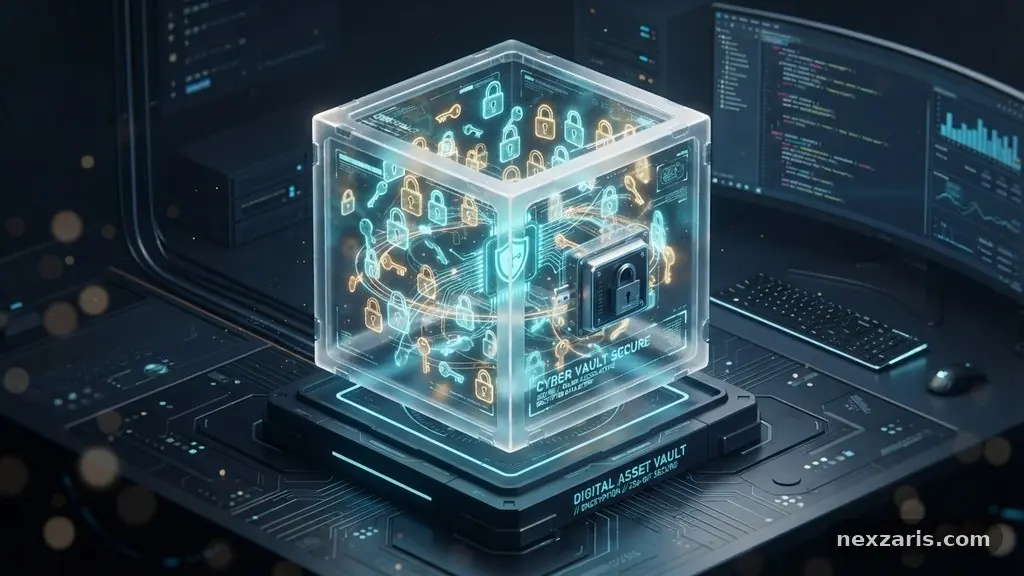
At the heart of every reliable service is a secure database known as a password vault. This vault functions as an encrypted container where your usernames, passwords, and private notes are stored in a format unreadable to anyone without your unique decryption key.
When you save a new login, the application immediately encrypts the data locally on your device before it ever touches any server. This ensures that even if a service provider suffers a breach, the hackers only see scrambled, unintelligible data.
The strength of this protection relies heavily on AES-256 encryption, which is the industry standard for securing sensitive information. This level of encryption is virtually impossible to crack using current computing power, providing a massive upgrade over storing passwords in a browser’s plain-text cache.
Most modern managers also implement a zero-knowledge architecture. This means the company hosting the software has no way to view your data, as the decryption process happens strictly on your local machine using your private master password.
Understanding the Master Password
The master password is the single most important piece of information you will ever create. It serves as the primary key that unlocks your entire vault, granting you access to every credential stored inside.
Because this password acts as the gatekeeper, it must be long, complex, and unique. You should treat it with the same level of caution as a physical safe key or a passport.
If you lose this password, most services cannot reset it for you because of their zero-knowledge security model. While this might seem inconvenient, it is a deliberate design choice meant to ensure that your data remains private and unreachable by third parties.
To manage this risk, many users rely on a physical backup or a trusted family member who holds a secondary recovery key. This creates a safety net while maintaining the integrity of your encrypted vault.
Leveraging Multi-Factor Authentication
Even with a strong master password, adding a second layer of security is a critical best practice. Multi-factor authentication (MFA) requires you to provide two or more verification methods to gain access to your account. This could involve a code generated by an authenticator app, a physical security key, or a push notification sent to your smartphone. By enabling MFA, you effectively neutralize the risk of a stolen master password being used by an unauthorized person.
Many premium managers now support hardware-based security keys, which offer the highest level of protection against sophisticated phishing attacks. These keys require physical interaction, meaning an attacker would need to steal both your digital password and your physical hardware to compromise your vault.
Integrating these tools into your daily login routine provides peace of mind that your credentials are safe from remote exploitation. You can learn more about the importance of these security layers at the Cybersecurity and Infrastructure Security Agency website.
The Role of Automated Password Generators
One of the biggest security risks online is the tendency to reuse the same password across multiple platforms. This habit makes you highly vulnerable to credential stuffing, where hackers use leaked database information from one site to gain access to all your other accounts.
Password managers solve this by including a built-in password generator. This feature creates long, randomized strings of characters that are impossible for humans to guess and extremely difficult for machines to brute-force.
These generated passwords typically include a mix of uppercase letters, lowercase letters, numbers, and special symbols. Because the manager handles the storage and auto-filling of these strings, you never actually need to memorize them.
This allows you to assign a unique, high-entropy password to every single website you visit. Over time, this practice significantly reduces your attack surface and makes it exponentially harder for malicious actors to compromise your personal data.
Cross-Device Synchronization and Accessibility
Modern internet usage often involves switching between a laptop, a tablet, and a smartphone. Cross-device synchronization ensures that your vault is always updated and accessible, regardless of which hardware you are using. When you save a new login on your desktop browser, the change is instantly encrypted and pushed to your mobile app. This seamless integration means you never have to manually update your credentials across different devices.
To ensure this speed doesn’t compromise security, the data is synced through an encrypted tunnel. Even during transit, your information remains protected by the same high-level encryption standards used at rest.
You can manage your entries from anywhere, allowing you to access bank logins, email accounts, or social media profiles with just a few clicks or a quick scan of your fingerprint. This mobility is a major reason why users move away from insecure manual password tracking.
Comparing Popular Password Manager Features
Different services offer varying feature sets that cater to specific user needs, such as family sharing or advanced audit reports. Some platforms focus on ease of use, while others provide deep customization for power users.
When choosing a tool, it helps to look at the specific capabilities of well-known providers like Bitwarden or Dashlane. The table below highlights how different approaches to feature sets can influence your overall security posture.
| Feature | Standard Manager | Premium/Enterprise Manager |
|---|---|---|
| Encryption Standard | AES-256 | AES-256 + Hardware Keys |
| Sync Capability | Basic Cloud Sync | Unlimited Devices + Sharing |
| Security Audit | Basic Weakness Alerts | Dark Web Monitoring |
| Authentication | Master Password | Biometric + MFA |
Each service has its own strengths, but the most important aspect is consistency. Whether you choose a free tier or a paid subscription, the benefit comes from using the software for every single login.
Consistent use prevents the “half-in, half-out” approach that often leads to users forgetting their credentials for less frequently visited websites. A reliable manager becomes a permanent fixture in your browser, quietly working in the background to keep you safe.
Browser Extensions and Biometric Integration
Browser extensions are the primary interface for most people. They detect when you are visiting a login page and offer to fill in your username and password automatically. This saves time and prevents you from typing sensitive information into a potentially malicious site.
Because the extension verifies the URL before auto-filling, it also acts as a form of phishing protection. If you land on a fake version of a website, the manager will likely refuse to fill the credentials, alerting you that something is amiss.
Biometric authentication adds another layer of speed and convenience. By using your fingerprint or facial recognition, you can unlock your vault without typing your master password every time.
This is especially useful for mobile devices, where typing long passwords can be cumbersome. The combination of browser convenience and biometric security makes using a password manager feel like a natural part of your workflow rather than a chore.
Frequently Asked Questions
Can a password manager be hacked?
While no system is 100% immune to all threats, reputable password managers use advanced encryption that makes them a very difficult target. Because of their zero-knowledge architecture, even if a provider’s servers were breached, the attackers would only find encrypted data that cannot be decrypted without your specific master password.
What happens if I forget my master password?
In most cases, you will lose access to your encrypted data because the manager does not store your master password. Some services offer emergency access features or recovery codes that you can set up in advance, which is highly recommended for all users to prevent permanent data loss.
Is it safe to store passwords in my web browser?
While browser-based storage has improved, it is generally less secure than a dedicated password manager. Browsers often lack advanced features like secure sharing, detailed security audits, and multi-factor authentication integration, and they may be more vulnerable if your computer’s OS account is compromised.
Do I need to pay for a password manager?
There are excellent free options available that provide all the necessary tools for individual users. Paid versions typically add extra convenience features, such as priority support, larger file attachments, or advanced security reports, but the core encryption technology is often the same across tiers.
How does a password manager protect me from phishing?
A manager only fills credentials on websites that match the address you have saved in your vault. If you are redirected to a fraudulent site with a slightly different URL, the manager will recognize the mismatch and refuse to autofill your data, effectively stopping the phishing attempt in its tracks.
Conclusion
Taking the time to learn how password managers organize and protect login credentials is a vital step in modern digital hygiene. By relying on an encrypted vault and strong, automatically generated passwords, you eliminate the risks associated with memory and manual data entry. These tools provide a foundation of security that scales with your online activity, keeping your accounts safe from breaches and unauthorized access.
The transition to using a professional manager may feel like a shift at first, but the long-term benefits are immense. Start by choosing a reputable service, importing your existing logins, and setting up your master password with care.
Once you integrate these tools into your browser and mobile devices, your online security will become more consistent and far more effective. Protecting your digital life doesn’t have to be complicated when you have the right systems in place.