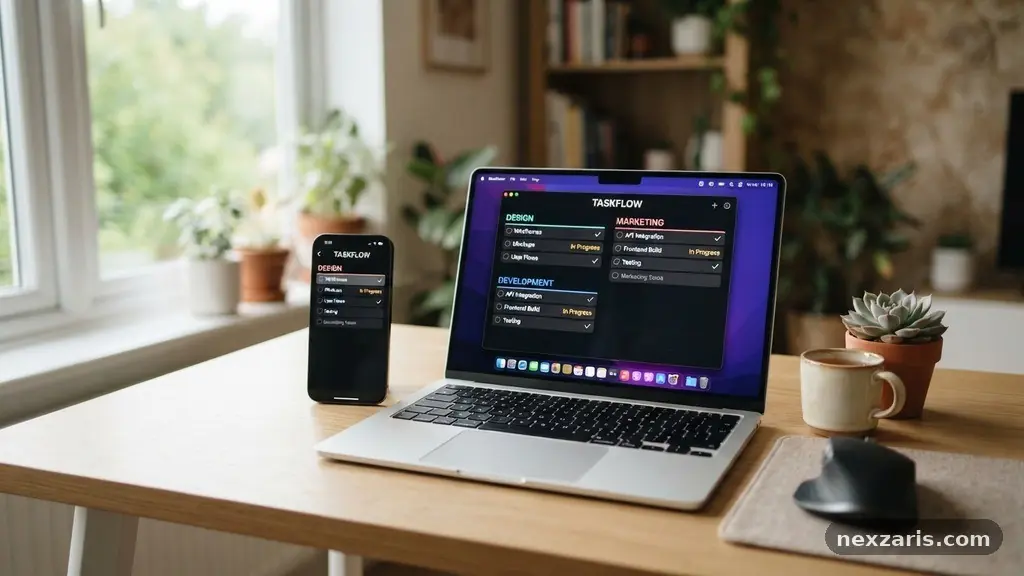
Building a Simple Digital Maintenance Checklist for Every Month
Building a simple digital maintenance checklist for every month is the most effective way to prevent technical headaches and protect your personal data. By dedicating just one hour to routine system diagnostics and cleanup, you ensure your devices run faster and your files remain secure. This proactive approach to recurring task management turns chaotic digital clutter into a streamlined, predictable workflow.
Whether you rely on a laptop for work or a smartphone for daily communication, consistent upkeep keeps your technology functioning at its peak. This article explores how to create a sustainable plan to keep your digital life organized, secure, and efficient throughout the year.
The Foundation of Monthly Digital Hygiene
Preventative maintenance is the primary defense against system crashes and data loss. When you establish a consistent rhythm, you stop treating technology as something that only requires attention when it breaks. Instead, you treat it like a car that needs regular oil changes to stay on the road.
The core of this process involves creating a repeatable sequence of actions that you can execute in under sixty minutes. You do not need complex software to achieve this; a simple note in your calendar or a basic spreadsheet works perfectly.
The benefits of this routine extend beyond speed and performance. Regularly clearing out old files and updating software reduces your attack surface for digital threats. It forces you to confront the “digital hoarding” that slows down your operating system and creates confusion.
When you know exactly where your files are stored, you spend less time searching and more time being productive. Consistency is the goal, not intensity, so start with a manageable list that you can actually finish.
Implementing Essential Software Patch Management
Software patch management is arguably the most critical aspect of your monthly cycle. Developers release updates to fix security vulnerabilities that hackers actively exploit. If you ignore these notifications, you leave your system exposed to known threats that could have been blocked by a simple click.
Many users delay updates because they fear bugs or downtime, but the risk of running outdated software is far greater. Set aside time each month to check for pending updates across your operating system, applications, and browser extensions.
Firmware updates for hardware—such as routers, printers, and smart home devices—often get overlooked. These updates ensure your hardware communicates securely with your software environment. If you struggle to remember these, try setting a recurring reminder in your task scheduling software.
Treat these updates as non-negotiable tasks, similar to paying a utility bill. A patched system is a stable system, and staying current is the easiest way to avoid major technical malfunctions.
Establishing Reliable Data Backup Protocols
Data backup protocols are your final safety net against hardware failure or ransomware attacks. Many people assume their cloud storage synchronization acts as a full backup, but this is a dangerous misconception.
Syncing is for convenience; a true backup is a protected copy of your data that you can restore if the primary source is corrupted or deleted. A robust strategy follows the 3-2-1 rule: keep three copies of your data, on two different media types, with one copy stored off-site.
Once a month, verify that your automated backups are actually running. Check the logs to ensure no errors occurred during the last sync. If you use physical external drives, plug them in, run a quick diagnostic, and ensure the most recent files are present.
You can find detailed guidance on cybersecurity best practices through the Cybersecurity & Infrastructure Security Agency. Never assume your data is safe until you have personally verified the integrity of the backup file.
Mastering Digital Decluttering and File Organization
Digital decluttering is the process of removing the “digital noise” that accumulates throughout the month. This includes clearing your downloads folder, deleting screenshots you no longer need, and emptying the trash bin. Over time, these files consume storage space and index space, which can contribute to sluggish performance.
Use a consistent naming convention for your folders so that you can find documents instantly. If you cannot find a file in ten seconds, your file organization system needs a rethink.
Categorizing Your Digital Assets
Organizing your files into a logical hierarchy helps prevent future clutter. Create a top-level directory structure that separates work, personal, and archival data.
Use a system that makes sense to you, such as by year or by project category. Here is a recommended structure for your primary file storage:
| Category | Sub-Folder Examples | Maintenance Frequency |
|---|---|---|
| Personal | Taxes, Health, Travel | Quarterly |
| Work | Projects, Invoices, Assets | Monthly |
| Downloads | Installer files, Temp docs | Monthly |
| Archive | Completed projects | Annual |
Conducting Thorough Account Security Audits
Account security audits are essential for protecting your digital identity. Spend time each month reviewing your active sessions and connected apps across your primary accounts. If you see a device you no longer recognize, revoke its access immediately.
This is also the perfect time to rotate passwords for high-risk accounts if you suspect any unusual activity. Using a password manager makes this significantly easier, as you can quickly identify which accounts have weak or reused credentials.
Beyond passwords, check your two-factor authentication (2FA) settings. Ensure your recovery phone numbers and email addresses are current. If you lose access to your primary device, these recovery methods are your only way back into your accounts.
Many services now allow you to download backup codes; save these in a secure, physical location rather than just on your computer. Taking these steps once a month keeps your digital perimeter strong and resilient.
Optimizing Hardware Health Monitoring
Hardware health monitoring is often ignored until a fan starts grinding or a battery stops holding a charge. While you cannot physically fix every internal component, you can monitor the performance metrics of your machine. Use built-in system tools to check your disk drive health and battery status.
If your computer is running hot, it might be time to clean out the vents with compressed air. Dust buildup is a common cause of thermal throttling, which slows down your processor significantly.
Routine Diagnostics Checklist
To keep your hardware running optimally, perform these checks each month:
-
- Check disk drive health using built-in utilities like CHKDSK or Disk Utility.
-
- Monitor battery cycle counts and capacity percentage.
-
- Clear physical dust from keyboard, vents, and ports.
-
- Audit external peripherals to ensure cables and connections are secure.
-
- Run an anti-malware scan to detect any background processes consuming resources.
If you notice a persistent drop in performance, document the symptoms. Having a record of when a problem started makes it much easier to troubleshoot or explain to a technician later. Preventative care for your hardware extends the lifespan of your devices, saving you money on expensive replacements in the long run.
Leveraging Digital Workflow Automation
Digital workflow automation is the key to maintaining these habits without feeling overwhelmed. Instead of relying on willpower, use task scheduling software to trigger reminders. You can set up recurring tasks that pop up on your screen on the first Saturday of every month.
Some users even automate parts of their maintenance, such as using scripts to clear temporary folders or syncing specific directories to cloud storage. By reducing the friction involved in these tasks, you are far more likely to complete them.
Think of these automations as a way to outsource your memory to your devices. Once you define the process, let your calendar or to-do list app handle the “when.” If you find a particular step in your checklist is too tedious, look for a tool that can handle it automatically.
Your digital maintenance should serve you, not become a chore that you dread. Keep the system simple, keep the tools accessible, and keep the recurring nature of the work front and center.
Frequently Asked Questions
How much time should I realistically spend on monthly maintenance?
Most users can complete a comprehensive digital checkup in 45 to 60 minutes. If you have neglected your system for a long time, the first session might take longer, but subsequent monthly tasks will go much faster.
What if I don’t have technical skills?
You do not need to be a developer to perform these tasks. Modern operating systems have built-in tools for backups, updates, and disk cleanup that are designed for everyday users. If you can follow a checklist, you have all the skills required.
Is cloud storage enough for a backup?
Cloud storage is excellent for accessibility, but it is not a complete backup solution. If your account is compromised or you accidentally delete files, the cloud will often sync those changes, erasing your data. Always maintain at least one local, offline backup for critical files.
How do I stop my files from becoming a mess again?
The secret is to process files as you create them, not just once a month. Adopt a strict folder hierarchy and move files into their destination folders immediately after you finish a task. Monthly maintenance should be a final sweep, not a total reorganization.
Should I use specialized cleaning software?
Be very cautious with third-party “PC cleaner” apps, as many of them are unnecessary and can sometimes cause more harm than good. Stick to the tools provided by your operating system manufacturers, as they are tested and safe for your specific environment.
Establishing a consistent routine for building a simple digital maintenance checklist for every month is an investment in your long-term productivity and peace of mind. By breaking down complex technical upkeep into manageable, recurring tasks, you remove the stress of unexpected failures and system slowdowns. Start small by picking three high-impact items—like software updates, file backups, and security audits—and commit to completing them on the same day each month.
As you get comfortable with these steps, you can expand your checklist to cover more ground. Taking control of your digital environment allows you to focus on the work that actually matters. Set your first reminder today and start building a more reliable, secure, and organized digital life.